
A practical guide to adapting your SME or self-employed business to electronic invoicing without spending a single euro
What you really need to comply with VeriFactu and electronic invoicing if you are self-employed or a micro-enterprise in 2026, without paying unnecessary licenses or depending on third parties.
Published December 11, 2025 · Category: Strategy · AI and digitization.
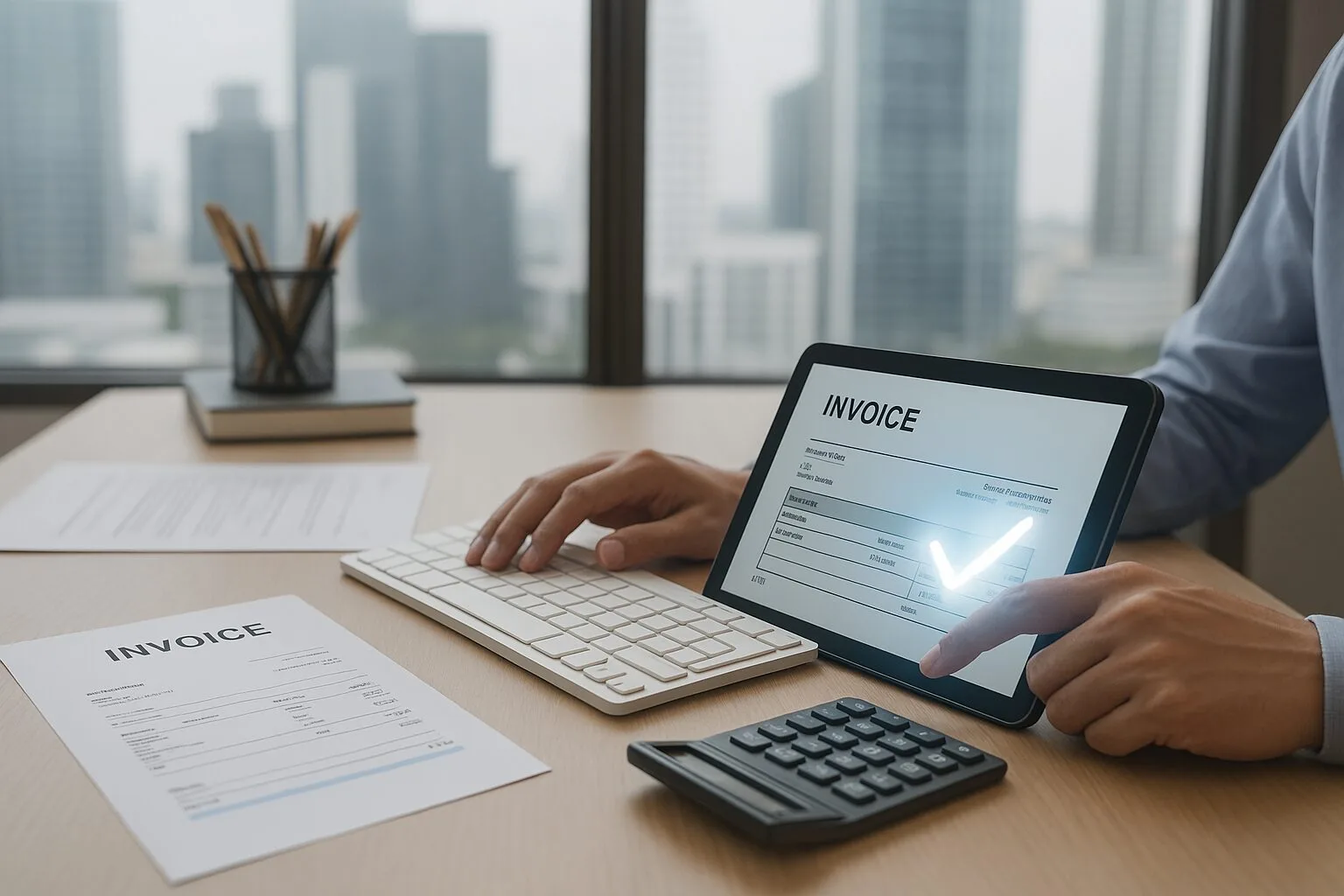
Over the next few months, many freelancers and small businesses will be bombarded with advertisements: “free electronic invoicing,” “we’ll set it up for you at no cost,” “comply with regulations today.” It’s a pattern that repeats itself every time a new digital requirement is introduced: first the law changes, and then a flood of commercial offers appears.
The problem isn't that these offers exist. The problem is that, in many cases, "free" means something else: free installation now and Mandatory subscription tomorrow, Maintenance costs, limitations on changing providers, or total dependence on a third party for something as basic as issuing an invoice.
What is almost never explained clearly is this: Complying with electronic invoicing regulations and VeriFactu requirements does not require you to subscribe to a paid software program.. If you are self-employed or a micro-enterprise with a small volume of invoices, you can adapt by using free public tools and quality free plans, without being tied to any license.
The key dates are:
- Societies (Corporate Income Tax): obligation from January 1, 2026.
- Self-employed and micro-enterprises: obligation from July 1, 2026.
If you're self-employed, you still have some time, but it's not a good idea to leave it until the last minute. This guide is designed especially for you: to help you understand what the law requires, What free tools are available? and How can you adapt without paying anything? unless, with all the information, you decide that a paid tool is worth it for you.
We don't sell software here. We give you guidance, clarity, and a safe path to make informed decisions.
1. Why this guide on mandatory electronic invoicing is necessary
The regulatory changes surrounding VeriFactu and electronic invoicing are generating a mix of uncertainty, market noise, and incomplete information. For many SMEs and freelancers, the prevailing feeling is that this process will be expensive and complex, and that they will need to "hire someone" or pay monthly software licenses to comply with the law.
The reality is different: Complying with regulations is entirely possible using free tools. Especially if you are self-employed or a micro-enterprise with a small volume of invoices, the transition can be made with official government tools and with free private software plans that are fully compliant with legal requirements.
So why is there so much confusion? For a simple reason: with hundreds of thousands of businesses forced to adapt, it's logical that "free" offers appear that then hide a mandatory annual fee, paid maintenance, or significant limitations that ultimately lead to a subscription.
This guide exists to fill that gap: to provide clarity, criteria, and an orderly path for you to adapt your business without spending a single euro if you don't want to, understanding exactly what the law requires and how to solve it with free tools.
2. What the regulations actually require (and what this means for an SME or self-employed person)
The regulations do not require the purchase of paid software. They require meet certain technical requirements.And those requirements can be met with 100% free tools.
The new regulations on electronic invoicing and the VERI*FACTU invoicing systems have generated confusion: many freelancers believe they will have to pay monthly licenses or hire someone to implement the solution. The reality is different: If your volume and complexity are moderate, you can accomplish everything with free official software and without external dependencies..
2.1. Actual dates of obligation
- Companies and SMEs (B2B electronic invoicing): Entry into force planned in phases starting from 2025, pending final regulatory development.
- Self-employed: provision for mandatory implementation in stages, with additional margin for technical adaptation.
- VERI*FACTU Regulation (RD 1007/2023): Mandatory for all invoicing systems that want to issue invoices verifiable by the AEAT (Spanish Tax Agency).
2.2. Technical requirements explained clearly (without jargon)
1) Issue electronic invoices in structured format
The law requires that invoices not be simple PDFs. They must be generated in structured formats such as Facturae or equivalents.
Free tools that allow this:
2) Traceability and sequential numbering
All invoices must be recorded without gaps, omissions, or duplicates, and maintain a complete history.
Official programs already apply this logic by default.
3) Digital integrity and preservation
Invoices must be stored in a digital format, accessible and guaranteed to have not been altered.
With free tools you can achieve this with:
- Cloud storage (Google Drive, OneDrive, Dropbox…)
- Manual backups
4) Valid digital signature
For electronic invoices, especially if you work with the government, you will need to sign them with a digital certificate.
You can get it for FREE at the FNMT:
Download FNMT certificate
5) Automatic or manual delivery to clients and platforms
If you work with the Administration, you will use the free platform:
FACe – General Entry Point for Electronic Invoices
If you work B2B, invoices are sent directly to your customers (email, download or integration).
2.3. What the regulations do NOT require (but many believe they do)
- It does not require you to hire an ERP or paid billing software.
- It does not require an annual maintenance service.
- It does not require automating all processes from day one.
- It does not require a minimum volume of invoices or a specific way of working.
Many SMEs believe that “if I don’t pay for a subscription, I’m not compliant.” This is false. Compliance depends on using software that meets the technical standard,not how much you pay for it.
2.4. Quick summary for those who are lost
- You need a software capable of generating structured invoices → Facturae or VeriFactu are free.
- You need a digital certificate → Free FNMT.
- You need a place to store invoices → Drive/OneDrive/etc.
- If you invoice the Administration → you send by FACe (gratuitous).
- You are not required to purchase anything additional.
3. Map of free tools to comply with digital invoicing
A small business or self-employed individual in Spain can comply with electronic invoicing and VERI*FACTU regulations without having to pay software fees from day one. The key is understanding what the government offers and what private alternatives exist with free or very affordable plans, so you can choose wisely based on your invoice volume and workflow.
You're not obligated to buy expensive software "just because the tax authorities say so." You're obligated to comply with the regulations. And that can be done with free public tools and, if you prefer, with private programs that offer a free plan.
In practice, today you have three main families of options:
- 100 free public tools % of the AEAT and the Administration (suitable for low volumes or frequent relationship with the public).
- Private programs with a permanent free plan (designed for freelancers and micro-enterprises with few invoices).
- Private programs with free trials or a freemium model, useful if you want something more advanced and don't mind paying in the medium term.
In this guide we'll use them as examples, but the step-by-step walkthrough in section 5 is designed so you can do it yourself. only with 100 free % solutions.
3.1. Free public tools (AEAT and Administration)
If your priority is to minimize costs and your invoice volume is not very high, it makes sense to first look at the solutions that the Administration already offers for free: the AEAT's VERI*FACTU invoicing application, the Facturae program and the FACe platform for invoicing public bodies.
Free invoicing application VERI*FACTU (AEAT)
The Tax Agency has published a VERI*FACTU free web-based invoicing application Designed for freelancers, professionals, and companies with a low volume of invoices. It works like a form on the Electronic Office website: you log in with your digital certificate, generate the invoice, and the system automatically sends the records to the Tax Agency in compliance with the VERI*FACTU regulations.
- It doesn't require installing anything: it works from the browser.
- Issue valid electronic invoices and send the record directly to the AEAT (Spanish Tax Agency).
- It complies with the regulations for computer billing systems (Royal Decree 1007/2023).
Limitations: It doesn't have a mobile app, it doesn't automate processes, and it doesn't integrate inventory or accounting. It's slow if you invoice daily.
Best suited for: Self-employed individuals or micro-enterprises that issue few invoices per month and want a 100% official % environment, even if it is not very convenient.
Facturae Program (Facturae format + invoicing to the Administration)
Facturae It's the government's free program for generating electronic invoices in Facturae format, the standard required for invoicing many public administrations. You can download the desktop application from its official website: Facturae downloads .
- It allows you to create, sign and send invoices in Facturae format.
- It integrates with the presentation of invoices through FACe.
- It is valid for both SMEs and self-employed individuals who invoice the Administration.
Limitations: The interface is somewhat outdated, requires computer installation, and has a basic learning curve.
Best suited for: Companies and self-employed individuals who invoice on a recurring basis to municipalities, communities or other public bodies.
FACe platform (sending invoices to the Administrations)
FACe It is the general entry point for electronic invoices to Spanish Public Administrations. It is not used to create the invoice, but it is used to... send it and track it when your client is a public body.
- It allows you to register and check the status of your invoices to the Administration.
- It works with invoices generated in Facturae or other compatible programs.
- It is free and is the official channel for a large part of the public sector.
Best suited for: SMEs that already work or want to work with public administrations and need to monitor the status of their public invoices.
3.2. Private programs with a real free plan (for low volumes)
In addition to public tools, there are private invoicing programs that are already adapted or are being adapted to VERI*FACTU and offer permanent free plans For freelancers and micro-businesses with few invoices. The goal here isn't to "marry" you to any particular company, but to find out what real options are available without a monthly fee.
Facturalia (limited free plan compatible with VERI*FACTU)
Facturalia It is a Spanish invoicing platform that has developed a specific module for VERI*FACTU and offers a limited free plan (by number of annual invoices) designed for self-employed individuals and businesses with low volume.
- Generation of invoices adapted to Spanish regulations and VERI*FACTU.
- Free plan with usage limits, sufficient for many freelancers to start with.
- A more user-friendly interface than the AEAT app, with features designed for everyday use.
Eye: If your invoice volume grows, you'll need to consider switching to a payment plan.
Best suited for: Self-employed individuals, small service businesses and micro-enterprises who want something more convenient than the tax authority's tool, but without yet assuming a high monthly fee.
STEL Order (free plan aimed at VERI*FACTU)
STEL Order It is a management and invoicing software widely used in SMEs that has launched a free plan specifically designed to suit VERI*FACTU. It allows you to issue compatible invoices, manage them from a mobile app, and also includes modules for stock, work orders, and other management functions.
- Cloud-based software with mobile app (iOS and Android).
- Billing module adapted to VERI*FACTU, designed for daily use.
- Free plan aimed at helping SMEs and the self-employed in the transition (conditions to be reviewed at any time).
Eye: Although the free plan is very attractive, it's advisable to carefully read the terms and conditions and any limitations (users, volume, features) before relying solely on it.
Best suited for: Micro-enterprises and small SMEs with somewhat more operational complexity (technicians, stock, work orders) that want to combine invoicing and management in a single tool.
3.3. Programs with free trials or freemium models (useful for testing, not always free in the long term)
Beyond these “real” free plans, there is a whole ecosystem of billing software that complies with regulations and offers free trials or heavily limited freemium versions. They are useful if you want to try a more advanced interface or if you already suspect that you will end up paying a fee for more automation.
Billin, Holded, Quipu, Debitoor/SumUp and others
Platforms like Billin, Holded, Quipu o Debitoor/SumUp They offer trial versions and entry plans that already include adaptation to VERI*FACTU or electronic invoicing.
- They usually have free trials of 14–30 days to get started at no cost.
- They include advanced features: automation, bank reconciliation, reporting, etc.
- They are designed for SMEs that want to integrate invoicing with the rest of their back-office.
Eye: In most cases, the "free" option is temporary or very limited. If you choose this path, do so knowing that you will be building your trading system on subscription-based software.
Best suited for: SMEs that already have a certain size or growth forecast and assume that paying an annual license makes sense to save time and automation.
How to use these options without losing sight of the “€0 mandatory”
While all these platforms can be very convenient, remember the goal of this guide: to demonstrate that The legal obligation can be fulfilled without recurring costs.. A reasonable strategy for a self-employed person who relies heavily on analog methods might be:
- Start with the free AEAT and/or Facturae application to understand the process and comply from day one.
- Use a free trial of a private software to compare convenience and see if it's worth paying later.
- Make the decision with the numbers in front of you: hours saved, mistakes avoided, and the actual fee you would pay per year.
Thus, if you decide to hire private software, you will do so because it brings you profitability and peace of mind, not because you believe —erroneously— that “there is no free alternative”.
4. Clear comparison: which tool to use depending on your case (without selling you anything)
Before diving into the step-by-step guide, it's important to be clear about which free (or nearly free) tool best suits your needs. Not all of them serve the same purpose, and a poor choice can complicate things from the very beginning. We don't "sell" any option here; we simply explain clearly what you can expect from each one based on your workload, your relationship with government agencies, and your workflow.
There is no perfect solution. There is a suitable solution. for your level of digitization and your actual volume of invoices.
4.1. Quick comparison (practical assessment for self-employed individuals and micro-enterprises)
| Tool | Cost | Ease of use | Adaptation to regulations | Ideal for… |
|---|---|---|---|---|
| VERI*FACTU (AEAT) | 0 € | Low | Maximum (official AEAT) | Self-employed with few invoices/year |
| Facturae (Admin.) | 0 € | Average | Very high (Facturae format) | Anyone who invoices public administrations |
| FACe (public submission) | 0 € | Average | Official | SMEs with public clients |
| Facturalia (private) | €0 (limited) | High | High (VERIFY*FACTU) | Self-employed with low volume but greater convenience |
| STEL Order (private) | €0 (limited) | High | High (progressive adaptation) | SMEs that want to combine management + invoicing |
4.2. What to choose according to your case (simple and direct criteria)
Here are the real-life scenarios we see every week in small businesses and among the self-employed. Identify yours and follow the specific recommendation.
Scenario 1: “I am self-employed and issue fewer than 10–15 invoices per month”
Recommendation: It starts with the free VERI*FACTU application from the AEAT (Spanish Tax Agency).
- Zero cost.
- You comply with the rule from the first minute.
- You don't get married to any software company.
- Ideal if you invoice individuals or small companies.
Direct link: AEAT – Free VERI*FACTU Application
Scenario 2: “I invoice the Public Administration”
Recommendation: Use Facturae + FACe.
- Facturae generates the mandatory Facturae format.
- FACe is the official portal for sending and tracking.
- Both are free and always up to date.
Download Facturae:
Official download
Send invoices via FACe:
Official FACe Portal
Scenario 3: “I want something more comfortable than the public option, but free”
Recommendation: Facturalia or STEL Order (free plan).
- A more modern interface than Facturae.
- Flows designed for everyday use.
- Free plans that are usually sufficient to start with.
Facturalia:
Official website
STEL Order:
Free plan
Scenario 4: “My SME is growing and I need automation”
Recommendation: Start for free, evaluate, and if you need more, then it makes sense to use platforms like Holded, Quipu, or Billin.
- Cron jobs, bank reconciliation, inventory, reports…
- They are more convenient, but they already require a subscription.
- The mistake is hiring them from day one without knowing if you need them.
Holded: Official information
Quipu: Official website
Billin: Free plan
4.3. The most common mistakes we see (and how to avoid them)
Paying €200–400 a year for software you don't need, just "out of fear of not complying.".
- Trusting aggressive advertisingMany campaigns use fear of non-compliance.
- Installing software without understanding if it is compatible with VERI*FACTU.
- Thinking that if you don't pay, you're not fulfilling your obligations (false for most self-employed people).
- Choosing overly complex tools to issue only 3-4 invoices per month.
- Forgetting the digital certificate, which is free and essential.
4.4. Summary to help you decide (without wasting time)
-
Are your bills low? → VERI*FACTU (AEAT).
Public invoices? → Facturae + FACe.
Do you want free convenience? → Facturalia or STEL Order.
Do you want to automate? → Holded, Quipu or Billin (knowing that you will pay).
5. Step-by-step guide to adapting your business to electronic invoicing without spending a single euro
In this section we guide you as if you had nothing done before: from obtaining the digital certificate to issuing your first electronic invoice and saving it properly, using only free tools.
Let's assume you're at this point today: you're self-employed or run a micro-business, you invoice using Word/Excel or even by hand, and you know that electronic invoicing and VERI*FACTU will be mandatory, but you haven't started doing anything yet. You don't want to complicate things or pay for a subscription if it's not strictly necessary.
- He digital certificate (gratuitous).
- The AEAT's free VERI*FACTU invoicing application.
- The program Facturae and the platform FACe If you invoice public administrations.
- A system of cloud file (Drive, OneDrive, etc.).
Gather the basic information about your business
Before entering any website, it is advisable to be clear about what data you will need: tax identification, contact details, bank, customer list and your usual billing concepts.
Request and activate your digital certificate
It is the "key" to sign electronic invoices and access official applications.
Choose your free base tool (AEAT / Facturae)
We decide if the free VERI*FACTU application is enough for you, or if you also need Facturae and FACe.
Configure your tax information and invoice numbering
We prepared the "skeleton" so that each invoice comes out with the correct numbering and data.
Issue your first real electronic invoice
You generate a valid invoice, sign it (if applicable) and send it to your client or the Administration.
Organize your archive and backups
You set up a simple system to keep all the invoices without losing anything.
Check back every few months and decide if you need anything else.
With real-world experience on the table, you can decide whether to continue using the free version or upgrade to paid software.
5.1. Step 1: Gather basic information about your business
This first step seems obvious, but if you're coming from a very analog environment, it's where you can waste the most time if you're just improvising. The idea is that, when you log into the AEAT app or Facturae, you shouldn't have to stop every two minutes to look up information.
Minimum checklist of data you should have on hand
- Tax information: NIF/CIF, name or company name, tax address.
- Contact information: phone number, email address you want to appear on the invoice.
- Bank details: IBAN if you want it to appear for transfers.
- List of regular customers: name, NIF, billing address and email.
- Common concepts: services or products that you usually invoice, with their price and VAT rate.
5.2. Step 2: Request and activate your digital certificate (free)
Without a digital certificate, you won't be able to properly identify yourself to the Spanish Tax Agency (AEAT) or sign electronic invoices in many cases. It's a one-time, free step (unless you use a private provider).
How to request the FNMT digital certificate
- Visit the FNMT website: FNMT certificate for natural person o representative .
- Follow the application wizard (it will ask for your NIF and some basic information).
- Go to a registration point (Tax Office, Social Security, town hall…) to prove your identity.
- Download and install the certificate in your browser or certificate store.
If you're not comfortable with these procedures, you can ask your administrative agency for occasional help. It's a one-time process, but it will be valid for everything else.
5.3. Step 3: Choose your free 100 % base tool
With the certificate now operational, it's time to decide which tool you'll use for your minimum viable electronic invoicing. We follow the criteria outlined in this guide: We start with what's free and official., And later, if you need to, you can switch to something else.
Option A: Private clients only (companies, individuals)
If you don't work with Public Administrations, you can work primarily with the AEAT's free VERI*FACTU invoicing application.
- You access it from the Electronic Office with your certificate.
- You are generating invoices that already comply with the regulations for billing systems.
- You are not dependent on any private provider.
Option B: Private Clients + Public Administrations
If you invoice (or want to invoice) public administrations, the most practical thing to do is to combine:
- Facturae to generate electronic invoices in Facturae format.
- FACe to send those invoices to public bodies.
- The free VERI*FACTU app is also available if you want to register invoices for other clients.
Download Facturae:
Official download page
FACe Portal:
face.gob.es
5.4. Step 4: Configure your tax details and invoice numbering
Once you have chosen the tool, the next step is to configure it so that each invoice includes your correct information and a consistent numbering system that will not cause problems with the tax authorities.
What you should check in the initial setup
- Issuer details: Check that the NIF/CIF, name and address are correct.
- Billing series: define a simple series (for example, F2026-0001, F2026-0002…).
- Usual VAT rate: 21 %, 10 % or the one that corresponds to your activity.
- Bank details: IBAN if you are paid by bank transfer.
- Invoice template: Check that all required fields appear (sender, recipient, date, concept, taxable base, taxes, total).
Don't change your invoice series every few months "just because." Sequential numbering is one of the things the tax authorities check most often when something doesn't add up.
5.5. Step 5: Issue your first real electronic invoice
With everything set up, it's time to send the first invoice. The goal is for it to be a guided process, without improvisation.
Practical steps to issue your first invoice in VERI*FACTU or Facturae
- Access the application (VERI*FACTU web / Facturae desktop).
- Select “New invoice” or similar.
- Choose the client from your list (or create one if it's your first time).
- Enter the concept (service or product) with its price, quantity and VAT.
- Check the total, date, and invoice number provided by the system.
- Save and generate the electronic invoice file (XML, Facturae, etc.).
- If applicable, digitally sign the invoice with your certificate.
- Send the invoice:
-
By mail to the private client (attaching the electronic file and, if you wish, an informative PDF). Through FACe if it is a Public Administration.
5.6. Step 6: Organize the file and backups (without going crazy)
The regulations require that invoices be kept complete and easily accessible. You don't need a complex system, but you do need something better than "each one in a different folder on the desktop.".
Minimum recommended file system
- Create a folder in the cloud: /Electronic-invoices/2026/.
- Inside, separate at least:
-
· Issued (what you charge).
· Received (supplier invoices, if you also manage them digitally). - Always save:
-
· The electronic file (XML / Facturae).
· Optionally, a PDF generated from the program for human reading. - Make a quarterly backup on an external drive or a different cloud service.
You don't need an expensive document management system to comply with the regulation. A good cloud-based archive, organized by year and invoice type, is sufficient for the vast majority of freelancers.
5.7. Step 7: Quarterly review and informed decision
Once you have 2-3 months of experience issuing electronic invoices with free tools, you will be in a position to decide whether you want to continue this way or if it is worth investing in paid software.
Questions to review each quarter
- How many hours a month does it take you to manage invoicing with free tools?
- Do you make recurring mistakes (numbers, dates, concepts)?
- Do you find working with VERI*FACTU or Facturae very cumbersome?
- Do you need to integrate billing with other processes (stock, projects, accounting…)?
- How much would you be willing to pay per year to save time and avoid mistakes?
6. What you should take away from this guide (and how to avoid common mistakes)
If you've made it this far, you now have a complete roadmap for complying with electronic invoicing and VERI*FACTU without paying for software or relying on third parties. This isn't about "making it look pretty," but about do it rightValid invoices, consistent numbering, traceability, digital signature, and secure archiving. With that, you're compliant. The rest are extras you can consider later.
Complying with regulations doesn't cost money. What it costs is time, organization, and a little discipline at the beginning.
6.1. Key lessons you should retain
- You are not obligated to purchase paid software. The Spanish Tax Agency (AEAT) already offers sufficient free tools to comply with the regulation.
- A digital certificate is essential And it's free: without it you can't sign up or access the official applications.
- Facturae and FACe They are the mandatory path if you work with public bodies.
- VERI*FACTU It allows you to issue valid electronic invoices even if your volume is small.
- Your file must be digital, complete, and accessible.. A well-organized folder in the cloud is all you need.
- Most self-employed individuals can operate with €0 tools for years. without any problem.
- Only if you grow or if managing it becomes complicated. You should consider paid software… and always with the numbers upfront.
6.2. Common mistakes we see in self-employed individuals and micro-enterprises
Mistake 1: Paying for a subscription on the first day “out of fear”
Many private providers are taking advantage of the confusion to sell urgency. The reality: You can issue electronic invoices today for €0.
Error 2: Failure to request the digital certificate on time
It's a quick process, but leaving it until the last minute can cause problems. Direct link: FNMT – Certificate Application.
Error 3: Changing the numbering every two months
This creates inconsistencies and risks in case of a tax audit. The correct approach: a clear and always consecutive series per year.
Error 4: Saving each invoice "wherever it falls"“
The regulations require complete and accessible preservation. An organized folder in the cloud is sufficient, but it must be maintained consistently.
Don't build your invoicing system around software you don't need. Start with free options, experiment, and only then decide if it's worth paying for something more sophisticated.
6.3. The practical synthesis (if you could only keep 5 ideas)
-
1) With a digital certificate + VERI*FACTU + a cloud folder you already comply with the standard.
2) If you invoice the Administration, add Facturae and FACe.
3) Don't buy anything out of fear: regulations do not require paid software.
4) Start simple and scale only if your business demands it.
5) Order, consistency, and filing: that's what keeps your billing "in peace".
This section summarizes the operational approach we advocate at Rumbo & Resultados: clarity, rigor, and decisions based on sound judgment, not market hype. By following these steps, you'll have a stable, simple, and fully compliant electronic invoicing system… at no extra cost.
Frequently asked questions about electronic invoicing and free solutions
Quick answers to the most common questions when a self-employed person or a micro-enterprise wants to adapt to electronic invoicing and the VERI*FACTU model without spending money on paid software, understanding what the regulations really require and what free options are available to them.
Is it mandatory to use payment software to comply with electronic invoicing?
No, the regulations require you to use a billing system that meets certain technical requirements (traceability, integrity, structured format, sequential numbering…), but It does not require that it be paid..
With a digital certificate, the AEAT's free VERI*FACTU invoicing application And, if you need it, Facturae + FACe, Many self-employed individuals and micro-enterprises can comply with the law without purchasing monthly licenses or depending on a private provider.
What happens if I continue issuing invoices in Word or Excel and send them in PDF?
In the medium term, It will not be enough. Using Word/Excel templates and sending a PDF can serve as a transition, but the electronic invoicing regulations and the VERI*FACTU billing systems regulations indicate that invoices must be generated from software that meets specific technical requirements.
The PDF will still be useful as a readable copy for your client, but The original invoice must be generated in a structured format. (for example, Facturae) or in a system that guarantees the traceability and integrity of the records.
Can I comply with the law only by issuing digitally signed PDF invoices?
Digitally signing a PDF improves security and authenticity, but It does not, by itself, cover all the requirements of the billing systems regulation. The key is that the invoice information is generated and recorded in a system that complies with VERI*FACTU or in supported structured formats.
It is recommended to use a tool that Generate the electronic file and register the invoice (VERI*FACTU, Facturae or another adapted solution) and, if you wish, accompany it with a signed PDF to facilitate reading for the client.
What exactly is VERI*FACTU and how does it affect me as a self-employed person?
VERI*FACTU is the name of model of invoicing systems verifiable by the AEAT. In practice, this means your billing software must:
- Record each invoice in a traceable manner, without deletions or hidden manipulations.
- Maintain consistent and sequential numbering.
- Allow, where appropriate, the sending of the records to the Tax Office.
For a self-employed person, the important thing is that The program you use must comply with these rules.. If you use the AEAT's free VERI*FACTU invoicing application or a customized private solution, you will be aligned with this model.
I issue very few invoices a year, do I really need all this?
Yes, because the obligation depends not only on the volume, but also on the type of operations and legal framework.On the other hand, if you issue few invoices, you can resolve this very simply and at no cost:
- Free FNMT digital certificate.
- Free VERI*FACTU application from the AEAT.
- Basic archive in the cloud, well organized.
The common mistake is thinking, “Since I don’t invoice much, the changes don’t apply to me.” The key is to adapt the effort to your volume, but do not ignore the regulations.
What is the real difference between Facturae and a private invoicing program?
Facturae It's the government's free program for generating electronic invoices in the eponymous format, especially when invoicing public administrations. It's robust, but its interface is more technical and less user-friendly for everyday use.
A private program (Facturalia, STEL Order, Holded, Quipu, etc.) usually offers:
- More user-friendly interface.
- Extra functions (stock, reports, collections, projects…).
- Limited free plans or temporary trials and often a subscription afterwards.
For many freelancers and micro-businesses, starting with the official free tools is sufficient; later on, if management becomes more complicated, it makes sense to consider private software.
How does the tax authorities "see" my invoices if I use free tools?
If you use the VERI*FACTU free invoicing app, The records are generated in accordance with the regulations and can be sent to the Spanish Tax Agency (AEAT) according to the established procedure. Furthermore, your invoices are declared in the corresponding VAT and Personal Income Tax (IRPF) forms, as usual.
The important thing is not so much "whether the tax authorities see each file" as that Your billing system complies with the rules And that you can justify your income and invoices in case of an audit. With the official tools, that foundation is covered.
What risks do I face if I delay adapting to electronic invoicing?
The main risk is ending up improvising at the last minute, making hasty decisions (like hiring the first software that calls you) or making formal errors in invoices that you then have to correct.
As the regulations are fully implemented, Sanctions may be imposed If the billing requirements are not met. That's why it's a good idea to take advantage of the free tools available now to:
- Familiarize yourself with the system.
- Issue your first electronic invoices now.
- To reach the date of full obligation with the work done.
Can I switch tools later without losing information?
Yes, but it's best to do it in an orderly fashion. If you start with VERI*FACTU or Facturae and later migrate to proprietary software:
- Keep all your old invoices archived (electronic file + PDF).
- Check if the new program allows you to import data or, at least, start a new, clear billing series.
- Document which invoice number the new tool starts from and record it in your internal notes.
The important thing is that you can demonstrate the traceability and correlation of the invoices, regardless of the software you used at each stage.
Does it make sense to pay my accountant to set everything up for me?
It depends on your situation. If you're really short on time or the technical aspects are holding you back, it might make sense to pay for one-off help for:
- Request and configure the digital certificate.
- Leave the free tool you're going to use set up.
- Define the billing series and a basic filing system.
The important thing is that you understand that You are not obligated to purchase paid software.. You can request occasional help to set up a system based on free official tools and, from there, operate it yourself independently.
👉 If you run an SME and recognize yourself in this scenario, We can help you implement electronic invoicing in an orderly manner: a process without delays or rejections, tools that fit your operations and a way of working that avoids errors and cost overruns.
Would you like us to notify you when we publish new content?
We value your time. We'll only send you articles, guides, or tools that help you improve, make better decisions, or take better action.
Our practical resources and online tools

Checklist for managing green infrastructure projects
Evaluate whether your municipality has the necessary capacity to manage and coordinate infrastructure projects

Checklist for operational models of urban green spaces
In just a few minutes, determine if your municipality has a solid operational model for management.

Checklist for citizen communication in the environment
Check in minutes if your municipality effectively communicates its environmental initiatives and succeeds in engaging people

Checklist for green and blue infrastructure strategy
Evaluate in 2 minutes whether your municipality has the necessary foundation to advance in infrastructure